AutoCAD Online Live Class by Experts
Our Training/Internship Process

AutoCAD - Syllabus, Fees & Duration
INTRODUCTION OF AUTOCAD
- Uses of AutoCAD
- Different versions
- Installation procedure
BASIC UNDERSTANDING
- User interface
- Different units and templates
- Coordinate systems
- Drawing settings
- Concept of views
- Create and Save
BASIC IDEA OF TOOLS AND MENUS
- Application button
- Quick access toolbar
- Tabs and ribbon areas
- Panels
- Drawing area
- Status bar
BASIC DRAWINGS
- Making simple lines, polylines, rectangles
- Creation of arcs, circles, ellipses
- Use of ortho and polar mode
- Simple and advance object snaps
- Object snap tracking
BASIC MODIFY TOOLS
- Scaling of objects
- Rotation of objects
- Move, copy ,trim and extend objects
- Joining and extend tools
- Offset, fillet and mirror of objects
MAJOR DRAWINGS
- Isometric, mechanical and electrical drawings with advanced building drawings
- Drawing with Hatch tools and their applications
- Making rectangular, polar and path array
- Use of multi function grips and dynamic input
- Drawing of different components of building
REUSING EXISTING CONTENT
- Creation, understanding and insertion of blocks
- Modifying and start write block
- Use of different block libraries
- Attributes
OBJECT ORGANISATION
- Understanding and assigning layers
- By layer and by block
- Enquiry tools
- Purge and rename command
ANNOTATIONS
- Basic and advance dimensions and their style
- Multileader
- Creation and modifying table with styles
- Different text styles
LAYOUT AND PRINTING
- Page setup and plotting drawing
- Viewports
- Creation of annotative dimensions
This syllabus is not final and can be customized as per needs/updates
- Since 2001, Making IT Experts by Experts
- Duration: 60 Hours (Vary as per your skill)
- Course Fees
- Individual Live Classes (1:1)
- Batch Classes @ Low Fees
- Training on Your Time, Any Where
- Access to Recorded Videos
- Practical Internship on Projects
- 100% Placement Support by our jobsHybrid.com
- Training/Internship Certificate
- Agra
- Ahmedabad
- Alappuzha
- Aurangabad
- Bangalore
- Belgaum
- Bellary
- Bhubaneswar
- Chennai
- Cochin
- Coimbatore
- Delhi
- Dindigul
- Erode
- Gulbarga
- Guntur
- Gurgaon
- Haryana
- Hyderabad
- Idukki
- Indore
- Jaipur
- Kalyan
- Kannur
- Kanpur
- Kasaragod
- Kerala
- Kolkata
- Kollam
- Kottayam
- Kozhikode
- Lucknow
- Madurai
- Malappuram
- Mangaluru
- Mumbai
- Mysuru
- Nagpur
- Nashik
- Navi Mumbai
- Nizamabad
- Noida
- Palakkad
- Pathanamthitta
- Pune
- Punjab
- Salem
- Shimla
- Solapur
- Surat
- Thane
- Thanjavur
- Thirunelveli
- Thoothukudi
- Thrissur
- Tiruchirappalli
- Tiruppur
- Trivandrum
- Vadodara
- Varanasi
- Vellore
- Vijayawada
- Visakhapatnam
- Wayanad
Course Highlights

Our Locations

 There are many merits of using AutoCAD. They are also adopted as a skill development application for a graduate-level of education.
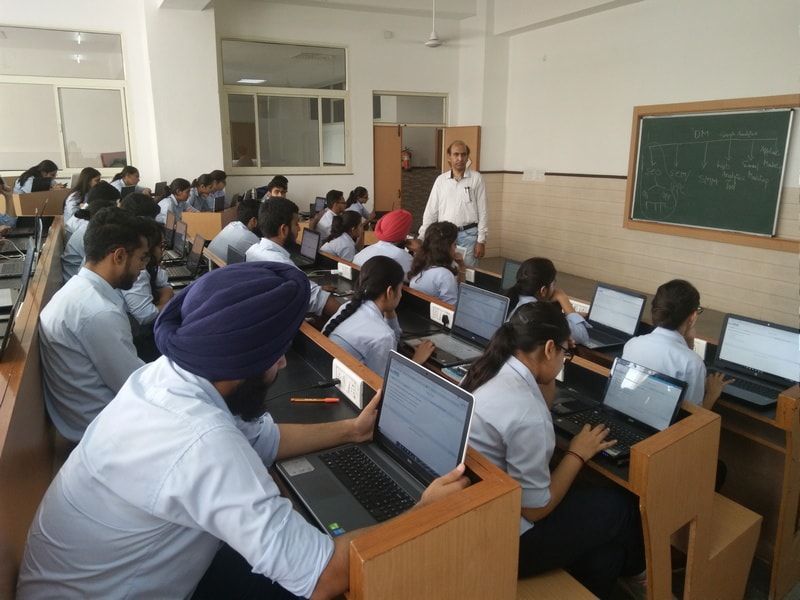
AutoCAD training by TechnoMaster in Mumbai by Industry Experts.
AutoCAD, Mumbai can be used across a variety of industries. Initially AutoCAD was derived from a program called Interact, which was written in a proprietary language. But now it can be used for various purposes. TechnoMaster provide training on AutoCAD 2D 3D drawings in Mumbai by Industry experts by online/offline. It can be used to perform different kinds of drawing like construction, electrical, mechanical and so on in Mumbai. It is also used for tracking the number of orders completed in a required time span. It is developed and marketed by Autodesk.
There are many merits of using AutoCAD. They are also adopted as a skill development application for a graduate-level of education.
AutoCAD training by TechnoMaster in Mumbai by Industry Experts.
AutoCAD, Mumbai can be used across a variety of industries. Initially AutoCAD was derived from a program called Interact, which was written in a proprietary language. But now it can be used for various purposes. TechnoMaster provide training on AutoCAD 2D 3D drawings in Mumbai by Industry experts by online/offline. It can be used to perform different kinds of drawing like construction, electrical, mechanical and so on in Mumbai. It is also used for tracking the number of orders completed in a required time span. It is developed and marketed by Autodesk.